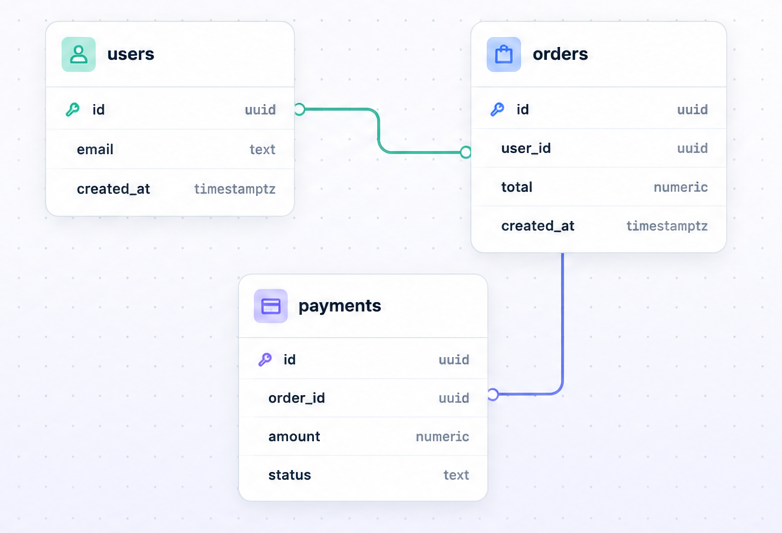
uuid
email text
created_at timestamptz
 DB Open Studio
Open source database modeling for builders
DB Open Studio turns database structure into a clear canvas. Import a real schema, design tables and relationships, compare changes, and generate SQL migrations you can review before running anything in production.
Open source
DB Open Studio is open source so developers can inspect it, run it locally, adapt it to their workflow and contribute improvements. Use it freely for your own projects, fork it, extend it or help build a better visual database design tool for the community.
Database design workflow
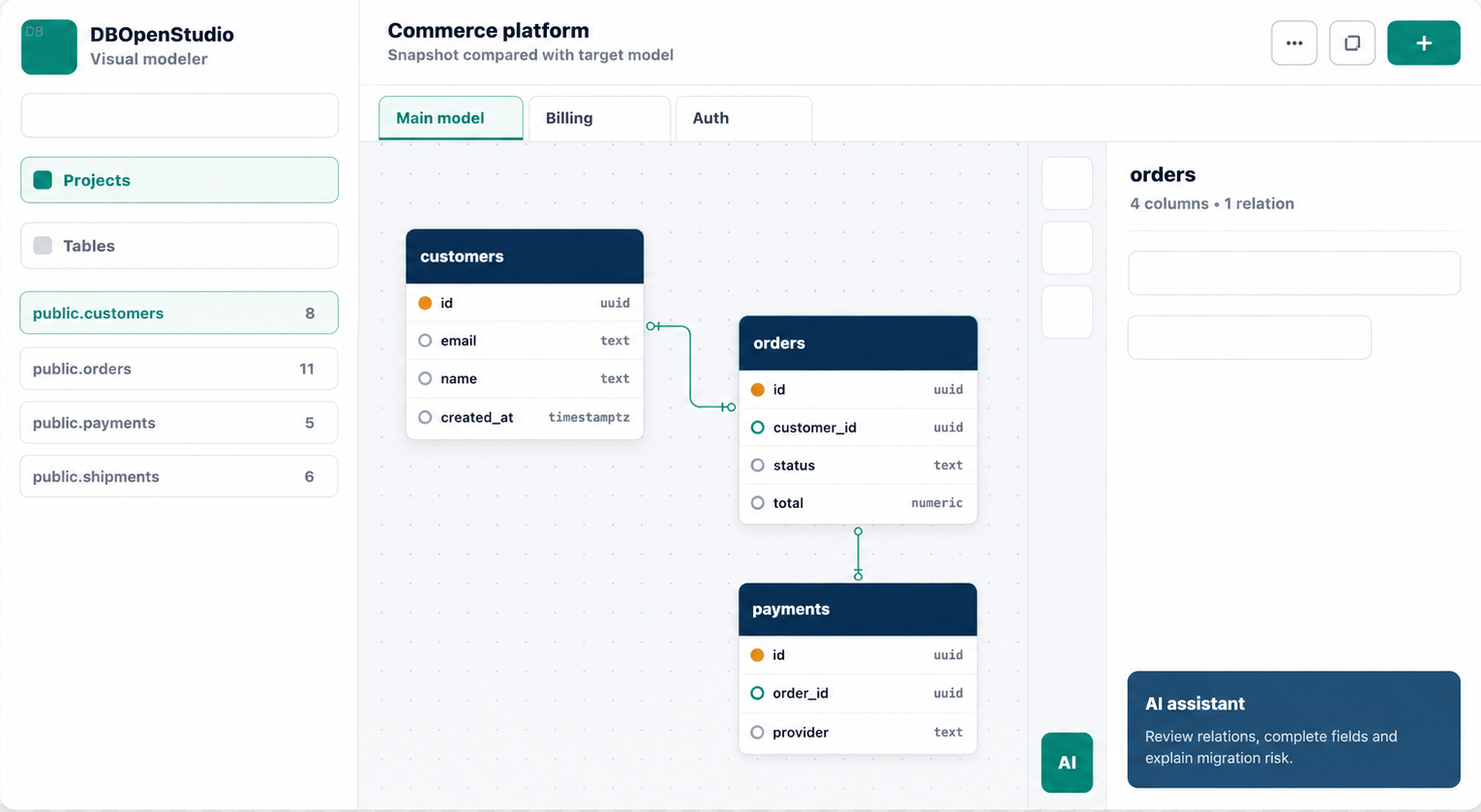
Use it as a Postgres schema designer, Supabase ERD tool, visual database modeler, SQL migration generator and architecture review surface for application teams.
Capture tables, columns, primary keys, foreign keys and indexes from Supabase or any reachable Postgres database.
Arrange tables across views, connect foreign keys, inspect columns and keep large schemas understandable.
Compare imported snapshots with the target visual model and produce migration SQL with risk warnings.
Start with local JSON storage, then move to Supabase Auth and Supabase Postgres persistence when you need users.
How it works
Optional AI assistant
The AI assistant can propose tables, complete columns, repair missing relationships, summarize migration impact and highlight manual checks. It is optional and runs only when configured with an OpenAI API key.
Quick start
With an empty `.env.local`, DB Open Studio runs with local JSON persistence. No Supabase, Postgres, SMTP or OpenAI setup is required for a first run.
git clone git@github.com:victorlr7/db-open-studio.git
cd db-open-studio
npm install
cp .env.example .env.local
npm run dev
Deployment options